Circle Canva Template Bundle: Your Shortcut to Polished Labels
In the world of product packaging and event styling, details make the difference between "homemade" and "professionally curated." If you’ve ever struggled to align your printer or wrestled with complex design software just to create a simple round sticker, you know the friction. The Circle Canva Template Bundle is designed to eliminate that frustration entirely. It’s a comprehensive design asset that bridges the gap between high-end graphic design and accessible, DIY customization.
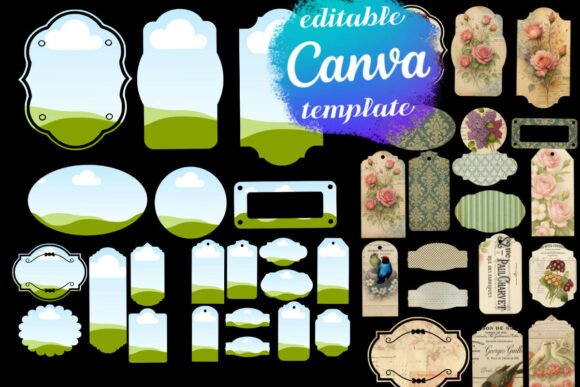
At its core, this bundle is about versatility and speed. It provides a collection of blank, circular templates that serve as the foundation for countless creative projects. Unlike generic stock graphics, these templates are engineered for production. They are formatted to fit a standard 8.5"x11" sheet, ensuring that what you see on screen is what you get in your hand. The visual appeal lies in their simplicity; they are clean canvases waiting for your brand identity to take center stage.
Visual Style and Practical Anatomy
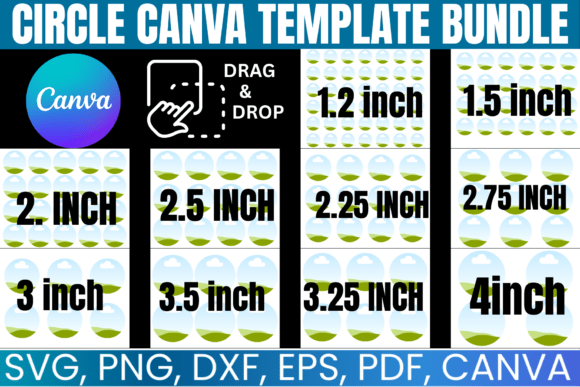
The "personality" of the Circle Canva Template Bundle is one of precision and adaptability. Visually, these are crisp, vector-based designs that maintain their integrity whether you are printing them as small 1-inch favor tags or large 4-inch jar labels. The style is inherently modern and minimal, which is exactly what allows them to fit into such a wide range of brand identity projects. They don’t scream for attention with pre-set colors or patterns; instead, they provide a structured boundary that frames your content perfectly.
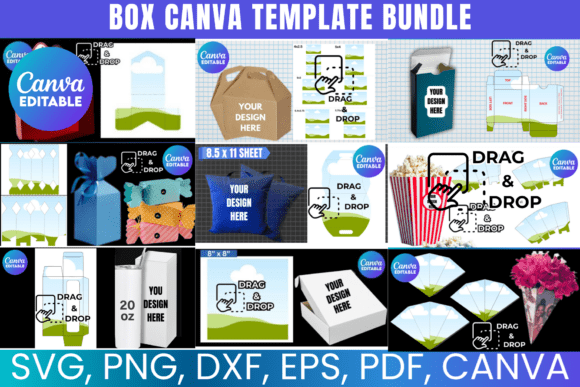
What sets this collection apart from standard design assets is the multi-format delivery. You aren't just getting one file type that you hope works with your software. The bundle includes:
- SVG files for high-quality scaling and use with cutting machines.
- PNG files with transparent backgrounds for layering in photo editors.
- DXF files specifically optimized for Silhouette software.
- PDF files with solid backgrounds for standard office printing.
- A Canva link for intuitive, browser-based drag-and-drop editing.
This anatomy makes the Circle Canva Template Bundle a powerhouse for packaging design. The SVG and DXF files ensure that your cutting machine cuts a perfect circle every time, saving you the tedious work of hand-trimming. Meanwhile, the Canva link democratizes the process, allowing entrepreneurs and hobbyists to create professional round labels without needing a subscription to expensive desktop software.
Applications Across Industries
Where does a tool like this actually fit into your workflow? The answer is almost anywhere you need a physical touchpoint with your audience. For the small business owner, these templates are invaluable for product packaging. Imagine creating cohesive branding for a candle line or a homemade soap business: you can design a logo sticker for the lid, an ingredient label for the side, and a "thank you" seal for the shipping box, all using the same consistent template structure.
For event planners and crafters, the applications are equally robust. Wedding favors, baby shower stickers, or birthday party decorations often require dozens, if not hundreds, of identical items. Using the Multipurpose Labels Template ensures consistency across all items. Because the templates are designed for standard paper sizes, you can easily batch print them on sticker paper or cardstock at home, or send the PDF to a local print shop for offset printing.
Even digital marketers and content creators can find value here. While the primary output is physical, the PNG files with transparent backgrounds are excellent for creating mockups for social media graphics. You can overlay these circles onto lifestyle photos to simulate product packaging for Instagram posts or website banners, helping to build visual hype before a product launch.
Design Strategy and Execution
Using the Circle Canva Template Bundle effectively requires a bit of strategic thinking, particularly regarding typography and color. Because you are working with a circular frame, traditional layout rules change. You aren't dealing with rectangular margins; you are dealing with the "safe area" of a curve. This is where the bundle proves its worth—it provides a pre-defined boundary so you don't have to guess where your text will get cut off.
When customizing these templates, consider the hierarchy of your information. A circle has a natural focal point in the center. For a product label, placing your logo or main icon in the center and wrapping the product name or details around the curve (or vice versa) creates a balanced composition. If you are using the Canva link, take advantage of the alignment tools to ensure your text is centered both horizontally and vertically within the circle.
Furthermore, think about the medium. If you are printing on glossy sticker paper, high-contrast colors work best. If you are using kraft paper for a rustic look, you might want to design in a single color, like white or black, to let the texture of the paper show through. The versatility of the Circle Canva Template allows it to adapt to these different materials without needing to alter the file structure.
Maximizing Your Bundle
To get the most out of this investment, treat the templates as a starting point, not the final product. The "blank" nature of the designs is intentional. It encourages you to inject your own modern typography choices. Whether you prefer a serif font for a luxury feel or a handwritten font for a personal touch, the circular frame accommodates various styles.
One practical tip is to create a library of your own designs based on these templates. Once you customize a circle with your brand colors and logo, save it as a new template within Canva or your desktop software. This way, the next time you need to print a batch of shipping labels or favor stickers, you are just a few clicks away. The Circle Canva Template Bundle isn't just a one-time download; it's a foundational tool for an ongoing, organized branding system.
Ultimately, this collection offers a practical solution to a common creative hurdle. It removes the technical barriers of file formatting and alignment, allowing you to focus on the creative aspects of your project. Whether you are labeling inventory, sealing envelopes, or decorating for an event, these templates provide the structure needed to execute your vision with precision and style.