Brushstrokes Canva Frame Template: Artistic Edge for Your Designs
There’s a certain magic that happens when a digital design feels handmade. That’s the exact energy the Brushstrokes Canva Frame Template brings to your creative projects. Forget the sterile, perfect edges of standard digital graphics. This template pack delivers the raw, textured feel of actual paint, offering an authentic, artistic vibe that immediately elevates your work. It’s designed for creators who want their designs to feel personal, organic, and full of character.
Unpacking the Visual Style
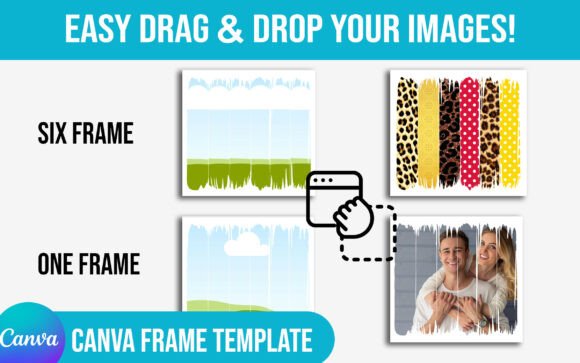
At its core, the Brushstrokes Canva Frame Template is about embracing imperfection. The frames mimic the look of thick, expressive paint strokes, creating borders that are dynamic and full of movement. Each frame has a unique personality—some are bold and heavy, while others are more delicate and wispy. This variety is key. You’re not just getting one style; you’re getting a toolkit of artistic expressions. The visual appeal lies in its ability to add depth and texture instantly, making any photo, quote, or graphic feel like a piece of art rather than just another digital asset.
Where This Template Truly Shines
The versatility of the Brushstrokes Canva Frame Template is one of its strongest suits. It’s not a niche product; it’s a creative workhorse. Here’s where you can put it to incredible use:
- Social Media Content: Stand out in a crowded feed. Use these frames on Instagram posts, Pinterest pins, or Facebook graphics to stop the scroll. They’re perfect for highlighting quotes, promotions, or behind-the-scenes photos with a handcrafted feel.
- Branding & Marketing Materials: For businesses with a artisan, boutique, or creative brand identity, these frames are gold. They work beautifully on business cards, thank you cards, menu designs, and promotional flyers, adding a layer of sophistication and approachability.
- Editorial & Blog Design: Bloggers and publishers can use these frames to create captivating featured images, section dividers, or pull quotes that draw the reader’s eye and break up text in a visually engaging way.
- Personal Projects & Crafts: From digital scrapbooking and photo collages to printable wall art and custom invitations, the Brushstrokes Canva Frame Template helps you create keepsakes with a professional, artistic touch.
Making the Template Work for You
Getting the most out of this design asset is straightforward, thanks to its easy drag & drop functionality within Canva. You simply click on the frame, upload your image, and it snaps perfectly into place. But to truly master it, consider these practical tips.
First, think about contrast. A heavy, dark brushstroke frame pairs powerfully with a bright, crisp image or bold typography. Conversely, a lighter, more transparent stroke can soften a photo, creating a gentle, ethereal effect. Play with the interplay between the frame’s texture and your core content.
Second, don’t be afraid to layer. The frames work beautifully as standalone borders, but they can also be used as accent elements. Try placing one behind a text block to create a subtle background texture, or use a small stroke as a decorative underline for a headline. This approach adds visual interest without overwhelming your design.
Finally, consider your brand’s personality. If your brand is all about raw, organic energy—think a ceramicist, a natural skincare line, or a rustic bakery—the Brushstrokes Canva Frame Template aligns perfectly. It communicates authenticity and craftsmanship. For more corporate or minimalist brands, use it sparingly as a strategic accent to inject a touch of warmth and human touch.
Practical Considerations for Seamless Integration
Before diving in, a few practical checks ensure a smooth workflow. This is a digital download product, meaning you receive instant access to the Canva template links—no physical frames will be shipped. It’s designed for use within Canva, making it incredibly accessible even if you’re not a professional designer.
When evaluating any design asset, always test it within your specific project context. How does the frame look at the size you’ll use it? Does the texture remain clear and impactful when scaled down for a mobile screen or scaled up for a poster? The beauty of a Canva template is you can mock this up in minutes.
Also, explore the included variations. A good frame bundle, like this one, often includes different stroke styles, opacities, and orientations. Understanding what’s in the pack allows you to choose the perfect frame for each specific application, ensuring consistency across a campaign or brand suite while keeping each piece visually distinct.
In the end, the Brushstrokes Canva Frame Template is more than just a decorative border. It’s a tool for storytelling. It helps you infuse your digital projects with the warmth and intentionality of hand-painted art, building a stronger connection with your audience through visuals that feel genuine and crafted with care.