Rectangle Doodle Border Canva Frames: The Hand-Drawn Touch
There’s a specific kind of magic in a hand-drawn line. It’s imperfect, personal, and instantly human. In a digital world saturated with sharp vectors and flawless gradients, that organic, sketched quality cuts through the noise. It signals authenticity and approachability. But achieving that look consistently, especially across a brand or a product line, is a challenge. You either need the drawing skills and the time, or you need a tool that does the heavy lifting for you. This is where the Rectangle Doodle Border Canva Frames set enters the picture, offering a bridge between that desired hand-crafted aesthetic and the efficiency of modern design workflows.
More Than a Frame: A Design System with Personality
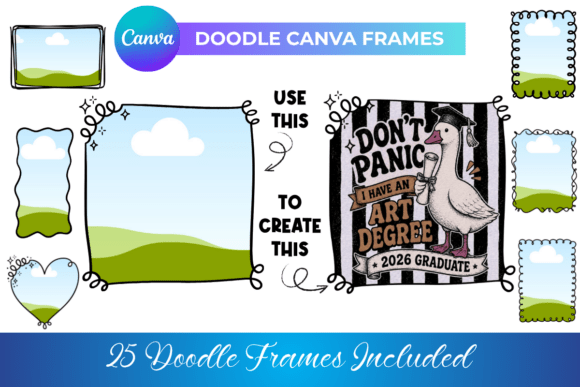
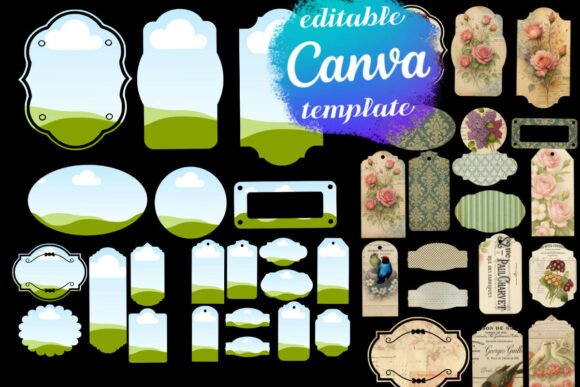
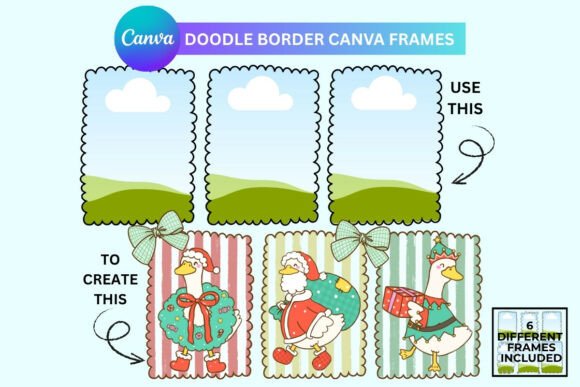
At its core, this is a set of six unique, premium design assets. Each frame is a closed vector path with a distinctly whimsical, squiggly outline. They aren't rigid or geometric; they breathe with a casual, confident energy. Think of them as a creative font for your layout structure. Just as a handwritten font gives text a personal voice, these doodle borders give your visual content a personal frame. The visual personality is key: it’s playful yet sophisticated, casual but not childish. This makes it incredibly versatile. The style avoids the extremes of overly kawaii cartooning or rough grunge, landing instead in a space that feels modern, trendy, and broadly appealing.
The real power lies in their function as a clip mask within Canva. This isn't just a static PNG overlay. You can drag any photo, a solid color block, a texture, or even a pattern directly onto the frame, and it clips perfectly to that irregular, hand-sketched border. This transforms a standard rectangular image into a piece of editorial design with character. It’s a fundamental shift in how you approach composition, allowing for playful layering and unexpected visual breaks that guide the viewer's eye.
Practical Applications: Where Doodle Borders Shine
The versatility of these frames is their strongest asset. Let’s move beyond theory into real-world projects where they provide immediate value.
For Digital Product Creators & Publishers: Imagine designing a digital planner or journal. Using these frames to contain monthly cover pages, section dividers, or featured quote pages instantly elevates the product from a simple PDF to a crafted experience. It adds perceived value and a cohesive, branded feel that can justify a higher price point. For packaging design mockups, they offer a quick way to showcase product labels or patterns within an engaging, non-generic context.
For Marketers & Social Media Managers: The fight for stopping power on social feeds is relentless. A standard square photo post is easy to scroll past. The same photo, clipped inside a playful doodle frame, creates an immediate visual hook. It breaks the predictable grid pattern. Use them for Instagram carousels, story highlights, quote graphics, or to frame customer testimonials. The style pairs exceptionally well with modern, clean sans serif font pairings for captions, creating a balanced, readable hierarchy that feels both professional and approachable.
For Branding & Identity Projects: A brand’s identity is built on consistent, recognizable elements. While a serif font might convey tradition and a script font elegance, a doodle border introduces warmth and creativity. It’s perfect for brands targeting audiences that value authenticity: handmade goods sellers, wellness coaches, creative educators, boutique studios. Use the frames consistently in your social media graphics, blog post featured images, and email headers to build a recognizable visual language. This contributes directly to brand recognition and audience engagement, as people begin to associate that friendly, hand-drawn element with your unique voice.
Integrating Into Your Workflow: A Practical Guide
Adopting any new design asset requires some thought to ensure it enhances, rather than clutters, your work. Here’s how to approach the Rectangle Doodle Border Canva Frames effectively.
- Evaluate the Project Fit: First, assess the tone. These frames excel for projects aiming for a friendly, organic, creative, or artisanal feel. They might not be the best fit for a ultra-luxury, high-fashion, or strictly corporate financial report where sterile precision is the goal. Context is everything.
- Master Font Pairing: The frames themselves are a visual element, so your typography needs to complement, not compete. A strong font pairing strategy is essential. Try pairing them with a clean, geometric sans serif font like Montserrat or Poppins for a modern, balanced look. For a more eclectic, editorial vibe, a simple serif font like Lora or Merriweather can work beautifully. Avoid overly ornate or complex fonts that would create visual chaos.
- Color is Your Ally: One of the key features is the ability to change the color of the frame outline instantly. Don’t just stick to black. Pull a secondary or accent color from your brand palette to color the doodle line. This integrates the frame seamlessly into your overall brand identity system, making it feel intentional and designed, not just pasted on.
- Consider Readability and Hierarchy: If you’re placing text over a photo that’s clipped into the frame, ensure sufficient contrast. The whimsical border already adds visual interest, so your text needs to be legible. Use the frame to create a clear focal point, then build your typographic hierarchy (headline, subhead, body) within or around it. The frame can actually aid visual hierarchy by acting as a natural container for key information.
- Think Beyond the Obvious: While perfect for photos, experiment with clipping solid colors to create unique shapes for background elements. Clip a subtle paper texture to one frame and place it behind a headline. Use them to create custom badges or seals for logos and icons. The drag-and-drop ease within Canva encourages this kind of rapid experimentation.
In the end, tools like these Rectangle Doodle Border Canva Frames