Editable Canva Frames: Grunge Backgrounds & Brushstroke Templates
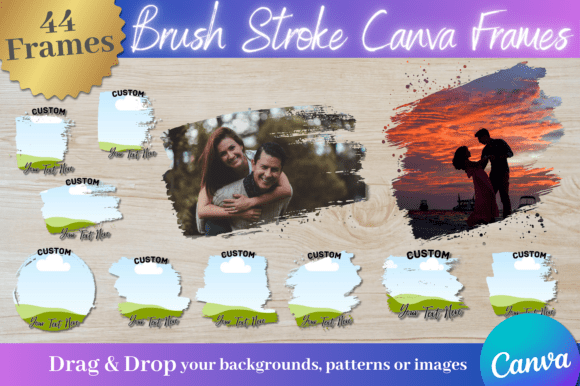
Creating scroll-stopping content often comes down to texture and authenticity. In a digital landscape filled with polished, perfect vectors, there is a distinct craving for designs that feel handmade, tactile, and raw. This is exactly where the Editable Canva Frames with Grunge Backgrounds come into play. These assets bridge the gap between professional graphic design and the raw, imperfect beauty of physical art materials. By combining brushstroke frames with custom grunge backgrounds, these templates offer a solution for anyone looking to add depth and character to their visuals without spending hours in complex software.
The visual personality of this collection is defined by its "lived-in" aesthetic. We aren't talking about clean lines and sterile white spaces here. Instead, think of the rich texture of a paintbrush loaded with heavy acrylics or the distressed look of aged paper. The grunge elements provide a gritty foundation, grounding your images in a reality that feels authentic and artistic. These aren't just borders; they are design assets that tell a story. Whether you are using the brushstroke frames to highlight a focal point or utilizing the grunge backgrounds to set a moody tone, the result is a visual hierarchy that commands attention.
The Power of Texture in Modern Branding
For entrepreneurs and brand strategists, consistency is key, but distinctiveness is survival. Using Editable Canva Frames allows you to build a brand identity that stands apart from the "corporate" look of standard sans-serif layouts. If you are a coffee roaster, a vintage clothing reseller, a musician, or a boutique agency, these textures speak your language. They suggest that your brand values craftsmanship and authenticity. When a potential customer sees a social media graphic framed by a rough brushstroke, it subconsciously communicates a different message than a sharp, digital geometric border. It feels more human.
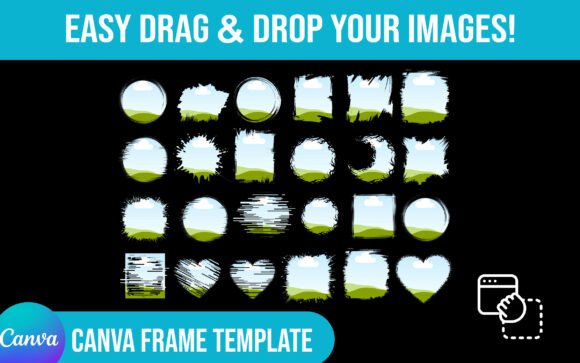
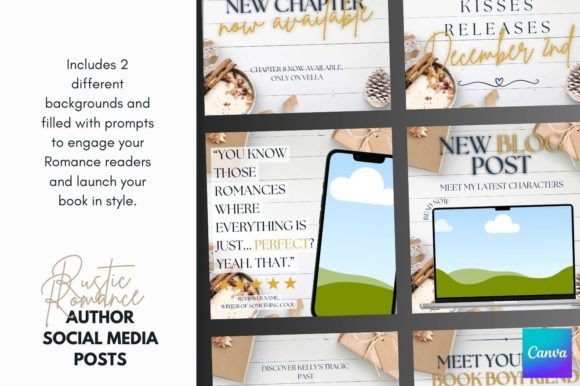
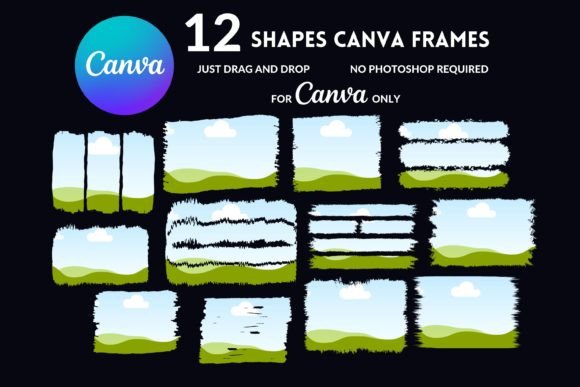
Practical application is where these templates truly shine, particularly for content creators and marketers who need to move fast. Because these are drag-and-drop templates designed for Canva, the workflow is seamless. You don't need to be a Photoshop wizard to create high-end editorial design or web design assets. Imagine you are a blogger preparing a post. Instead of just dropping a photo onto a white background, you can instantly apply a grunge overlay to give it a cohesive, moody vibe that matches your writing style. This ability to quickly alter the "mood" of an image is invaluable for maintaining audience engagement across different types of content.
Practical Applications: From Social Media to Print
The versatility of these frames extends far beyond Instagram posts. While they are perfect for social media graphics—adding immediate depth to flat photos—they are equally effective in print design. Consider the impact of a business card or a flyer that utilizes a custom grunge background. It changes the tactile experience of the design before the paper is even touched. For packaging design, especially in niches like artisanal goods, organic products, or indie books, a brushstroke frame can serve as the visual anchor for your logo design. It frames the brand name with an artistic flair that suggests quality and care.
Furthermore, the inclusion of commercial use rights in the terms of purchase makes this a practical investment for small business owners. You can use these design assets for client work, merchandise, or digital products without worrying about licensing headaches. However, it is important to remember that these are digital products requiring a Canva account. While the free version of Canva works, the Pro version often unlocks additional features that can help you manipulate these layers even further. The "fill your own" functionality means you are never stuck with a static image; you have full control over the color palette, opacity, and placement of the grunge elements to match your specific project requirements.
Evaluating Fit and Readability
While the aesthetic appeal of grunge and brushstroke elements is high, a professional designer knows that context is everything. Readability must remain a priority. These frames are best used as supporting actors rather than the main character of your text-heavy designs. If you are creating a poster with a long paragraph of body copy, a heavy grunge background might compete with the text, making it hard to read. Instead, use the frames to highlight a single quote, a headline, or an image. Let the texture breathe. The goal is to enhance the visual hierarchy, not clutter it.
When evaluating if this style fits your project, consider your audience. For a younger demographic or a creative industry audience, the raw, imperfect style is often seen as trendy and authentic. For more conservative industries like law or finance, a subtle application might be necessary—perhaps using a very faint texture to add depth without overwhelming the professional tone. It is also worth experimenting with font pairing. The organic nature of brushstrokes pairs beautifully with modern typography, particularly clean sans-serif fonts or elegant serif fonts. The contrast between the messy texture and the clean typeface creates a dynamic tension that makes the design pop.
Maximizing Your Design Assets
To get the most out of your purchase, take the time to explore all 12 editable Canva frames included in the set. Don't just use the first one you see. Rotate them, flip them, and adjust their colors to see how they interact with your specific imagery. Sometimes, a grunge frame that looks too dark in its original state becomes the perfect subtle border when you lower its transparency. This flexibility is the main advantage of editable templates over static stock images.
Ultimately, these Editable Canva Frames with Grunge Backgrounds are more than just decorative elements; they are tools for visual storytelling. They allow you to infuse your digital presence with the warmth and imperfection of physical art. Whether you are designing a podcast cover, a website header, or a series of product mockups, these assets provide the texture and depth needed to make your work feel finished and professional. By integrating these elements into your workflow, you elevate your content from simple information delivery to a crafted visual experience.