Celebrate in Style: The 12X Graduation Party Favor Template
Graduation season is a whirlwind of pride, achievement, and celebration. For those planning the party—whether you're a proud parent, a savvy event planner, or a graduate starting a small celebration business—the pressure is on to create memorable details. Custom favors add a personal touch that generic store-bought items simply can't match. This is where the 12X Graduation Party Favor Canva Editable Template enters the picture, offering a practical solution to a common creative challenge.
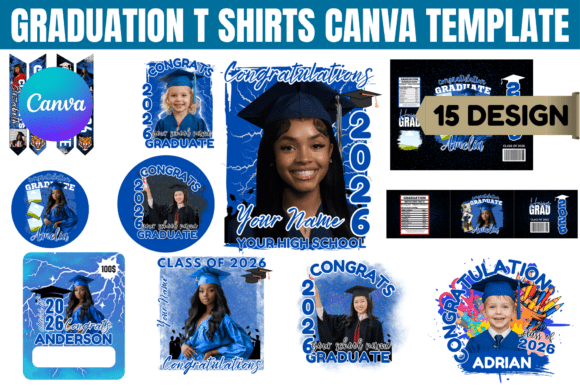
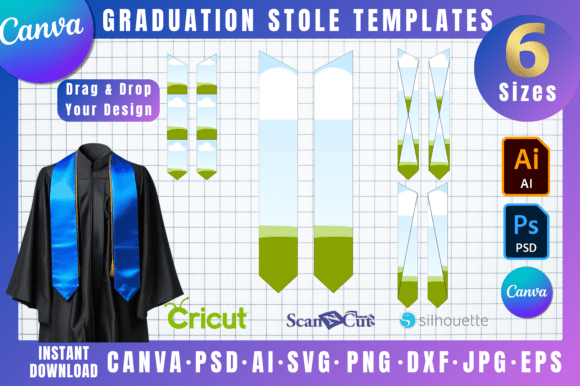
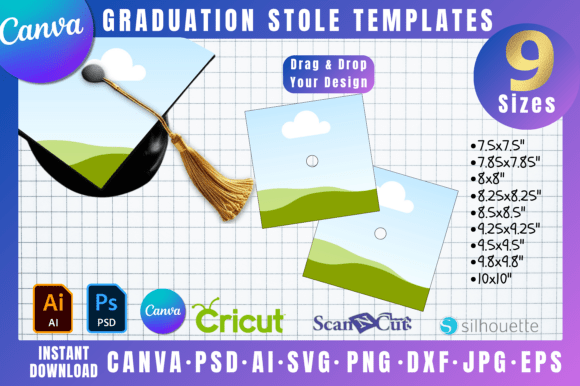
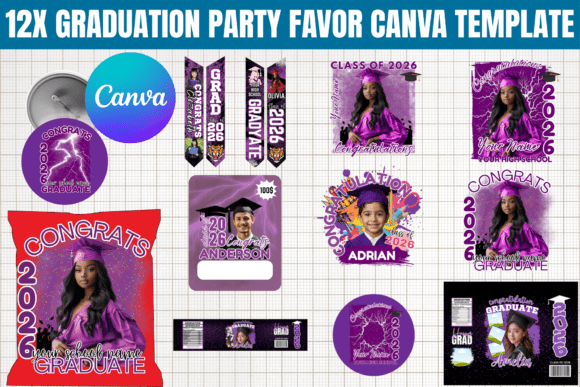
At its core, this isn't just a single design. It's a versatile toolkit. The package includes twelve distinct templates, each designed to be adapted for a range of physical products. Think custom water labels that wrap around bottles, chip bags that turn snacks into themed treats, grad stoles for photos, T-shirts for the graduate's inner circle, handheld fans to beat the heat, and pin buttons as keepsakes. The visual style leans towards a clean, celebratory aesthetic. It balances modern typography with classic graduation motifs—diplomas, caps, and year graphics—making it feel both current and timeless. The personality is approachable and customizable, designed to let your specific graduate's school colors, name, and year take center stage without fighting the layout.
Where This Template System Shines
The real value of the 12X Graduation Party Favor Template lies in its application across different projects. For a family hosting a backyard barbecue, it allows for professional-looking results without hiring a designer. For a small business owner running an Etsy shop or local print service, it provides a foundation for creating a graduation product line efficiently. The templates work well for both personal and small commercial use, which is a key consideration for crafters and entrepreneurs.
From a design perspective, the system influences the final product in several important ways. The consistent use of modern typography across the templates ensures visual hierarchy—the graduate's name and year are prominent, while supporting text is subordinate. This clarity is crucial for items like pin buttons or small water labels, where space is limited. Using a cohesive set of templates for different items (a water label, a chip bag, a fan) creates immediate brand perception for the party itself. It tells guests that every detail was considered, building a sense of occasion and professionalism. This consistency strengthens recognition; guests will associate that polished look with the celebration.
Practical Guidance for Using the Template
Before diving in, it's wise to evaluate if this system fits your project. It's a digital product, so you need a Canva account (the free version works) and a basic comfort with drag-and-drop editing. No advanced design experience is required, but you should be prepared to choose colors, upload a photo if desired, and adjust text fields.
Here’s how to approach it effectively:
- Test the Pairings: The templates likely include suggested font combinations—a display font for headlines and a sans serif font for body text. Before committing to printing 50 water bottles, test the pairing on screen. Does it remain readable at a small size? Does the style feel right for the graduate's personality?
- Review All Styles: With twelve templates, explore them all. One might have a more script font feel, another a handwritten font vibe, and others a cleaner serif font approach. Select the one that best matches the overall tone of your event—playful, elegant, or formal.
- Readability is Key: Always prioritize clarity. A fancy creative font might look great on a T-shirt mockup but become illegible on a 2-inch pin button. Use Canva's zoom function to check your design at actual print size.
- Understand the Licensing: The note that templates are for "personal or small business use only" is critical. This means you can use them to make favors for your own family's party or to create items you sell in a small, independent capacity. You cannot resell the digital template files themselves as your own product. This is standard for design assets and protects the original creator.
For the best results, print a single test page before committing to a full run. Paper quality and printer settings can affect color and sharpness. If you're using a professional print service, export your Canva design as a high-quality PDF and communicate your exact dimensions clearly. This template system is a powerful starting point, but your attention to these final details will elevate the outcome from homemade to professionally crafted. It’s a tool that, when used thoughtfully, can significantly streamline the process of creating a cohesive and personalized graduation celebration.